
Why Tax Professionals Are Prime Targets for Cybercriminals—and How to Protect Your Firm

Every tax season, millions of taxpayers trust tax professionals with some of their most sensitive personal and financial information. Social Security numbers, bank account details, tax returns, business records, and identity documents all pass through tax offices every day.
That makes tax preparers, CPAs, Enrolled Agents (EAs), and accounting firms one of the most attractive targets for cybercriminals.
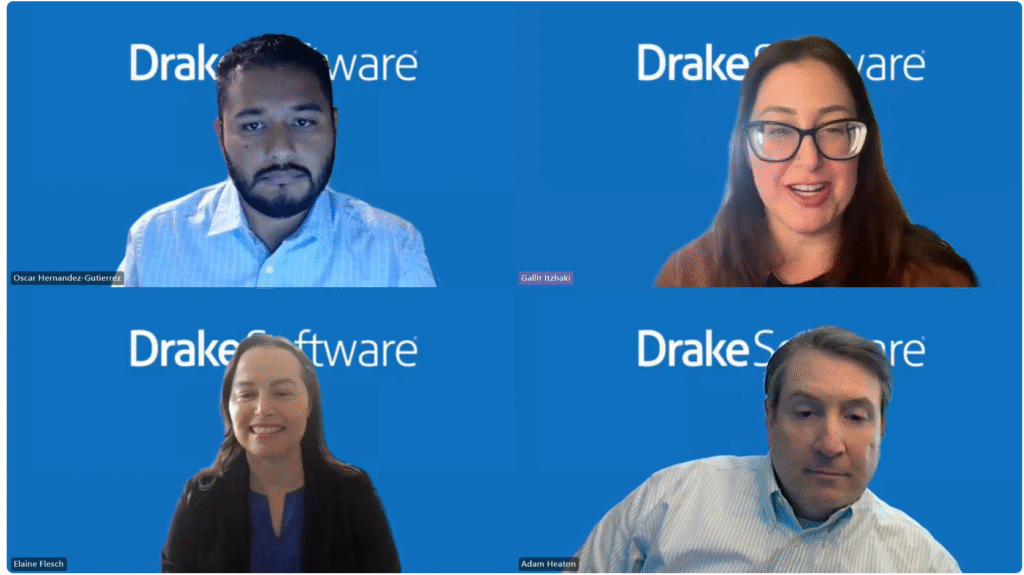
In a recent discussion featuring the Drake Software cybersecurity team—including Chief Information Security Officer Elaine Flesh, Security Operations Analyst Oscar Hernandez, and Senior Cybersecurity Architect Adam Heaton—the experts shared practical advice on how tax professionals can better defend themselves against today’s rapidly evolving cyber threats.
Why Tax Professionals Are High-Value Targets
Unlike many businesses, tax firms maintain an enormous amount of personally identifiable information (PII), including:
- Social Security numbers
- Employer Identification Numbers (EINs)
- Bank account information
- Tax returns
- Driver’s licenses
- Income records
- Business financial statements
According to the Drake cybersecurity team, criminals can use this information for:
- Identity theft
- Tax refund fraud
- Financial account takeovers
- Loan fraud
- Business email compromise
- Additional cyberattacks against clients
Small firms are particularly vulnerable because attackers often assume they have fewer cybersecurity protections than larger accounting firms.
The Most Common Ways Tax Firms Get Hacked
Cyberattacks continue to evolve, but several attack methods remain responsible for the majority of successful breaches.
Weak Passwords
Many tax professionals still use:
- Short passwords
- Easily guessed passwords
- The same password across multiple websites
If one website suffers a data breach, cybercriminals often test those stolen passwords on tax software, email accounts, cloud storage, and banking websites.
Lack of Multi-Factor Authentication (MFA)
Even strong passwords can eventually be compromised.
Without MFA enabled, a stolen password often gives attackers immediate access to:
- Tax software
- Client portals
- Email accounts
- Cloud storage
- Accounting systems
MFA dramatically reduces this risk by requiring a second verification step before access is granted.
Phishing Emails
Phishing remains the number one attack vector against tax professionals.
These emails often pretend to come from:
- The IRS
- Tax software companies
- Existing clients
- New prospective clients
- Banks
- Technology vendors
Their goal is simple:
- Trick users into clicking malicious links
- Download malware
- Steal passwords
- Collect confidential client information
Common Phishing Scams Targeting Tax Preparers
The Drake cybersecurity experts highlighted several scams becoming increasingly common.
Fake IRS Messages
These emails claim:
- Immediate action is required
- Your account has been suspended
- Your EFIN needs verification
- A filing issue must be resolved
The messages often use official-looking IRS logos to appear legitimate.
Fake Client Emails
Attackers frequently pose as new clients by sending:
- Tax documents
- Dropbox links
- ZIP files
- PDF attachments
Instead of containing tax information, these files often install malware.
Fake Invoices
Scammers impersonate:
- Software vendors
- Billing departments
- Subscription services
The attached invoice or payment link directs victims to malicious websites designed to steal login credentials.
EFIN Credential Scams
Some attackers specifically request:
- Electronic Filing Identification Numbers (EFIN)
- IRS documentation
- Account verification records
Once obtained, criminals may use these credentials to commit tax fraud or impersonate legitimate preparers.
How to Spot a Phishing Email
The cybersecurity team recommends watching for these warning signs:
- Urgent language demanding immediate action
- Threats of account suspension
- Unexpected attachments
- Links you weren’t expecting
- Requests for sensitive information via email
- Misspelled email addresses
- Logos that appear slightly incorrect
- Messages that “just don’t look right”
One of their simplest recommendations:
If you weren’t expecting it, don’t click it.
What Is a TOAD Attack?
One emerging threat discussed by Drake is the Telephone-Oriented Attack Delivery (TOAD) attack.
Unlike traditional phishing, TOAD attacks combine email with a phone call.
Here’s how they typically work:
- You receive an email claiming there’s a problem with your account.
- The email instructs you to call a phone number.
- A scammer answers while pretending to represent:
- Technical support
- Your software provider
- The IRS
- During the call, they convince you to:
- Reveal sensitive information
- Install remote access software
- Share login credentials
Because victims hear a real person’s voice, these scams often feel more convincing than email alone.
The experts recommend slowing down, asking questions, verifying identities independently, and never following unexpected phone instructions without confirmation.
Why Multi-Factor Authentication Matters
The Drake team repeatedly emphasized that MFA is no longer optional.
Instead of relying solely on a password, MFA requires an additional verification step, such as:
- Authentication app codes
- Security keys
- Push notifications
- One-time verification codes
Even if attackers steal your password, they still cannot access your accounts without that second authentication factor.
Risks of Not Using MFA
Without MFA, attackers who obtain your password may gain immediate access to:
- Tax software
- Client records
- Financial information
- Employer Identification Numbers
- Sensitive taxpayer documents
The consequences may include:
- Identity theft
- Financial losses
- Client notification requirements
- Regulatory investigations
- Reputational damage
- Lost business
The Drake team noted that both the IRS and other regulatory agencies increasingly expect tax professionals to implement MFA as part of protecting taxpayer data.
Practical Cybersecurity Best Practices
The experts recommended several habits every tax office should adopt:
- Use long, unique passwords for every account.
- Never reuse passwords across websites.
- Enable multi-factor authentication wherever possible.
- Limit employee access to sensitive data based on job responsibilities.
- Regularly back up client data.
- Train staff on phishing awareness before and during tax season.
- Verify unusual requests using trusted communication channels.
- Never send sensitive client information through unsecured email.
- Stay informed about cybersecurity alerts from the IRS and your tax software provider.
The Biggest Cybersecurity Myth
One of the most important takeaways from the discussion is that no tax firm is too small to be targeted.
Modern cybercriminals automate much of their work, allowing them to scan and attack thousands of businesses at once. Small firms are often seen as easier targets because they may lack dedicated IT staff or formal security policies.
In other words, your firm’s size does not determine whether you’ll be targeted—it often determines how prepared you’ll be when an attack occurs.
Final Thoughts
Cybersecurity is no longer just an IT issue—it’s a core business responsibility for every tax professional. As cybercriminals continue to target firms handling sensitive taxpayer information, simple security practices such as using strong passwords, enabling multi-factor authentication, recognizing phishing attempts, and training staff can dramatically reduce risk.
For tax professionals, protecting client data is essential not only for maintaining trust but also for complying with evolving IRS expectations and safeguarding the long-term success of the practice.






Responses